
How it works, in 3 steps
Your first optimization in 5 minutes,
no training required.
Step 1
Identify
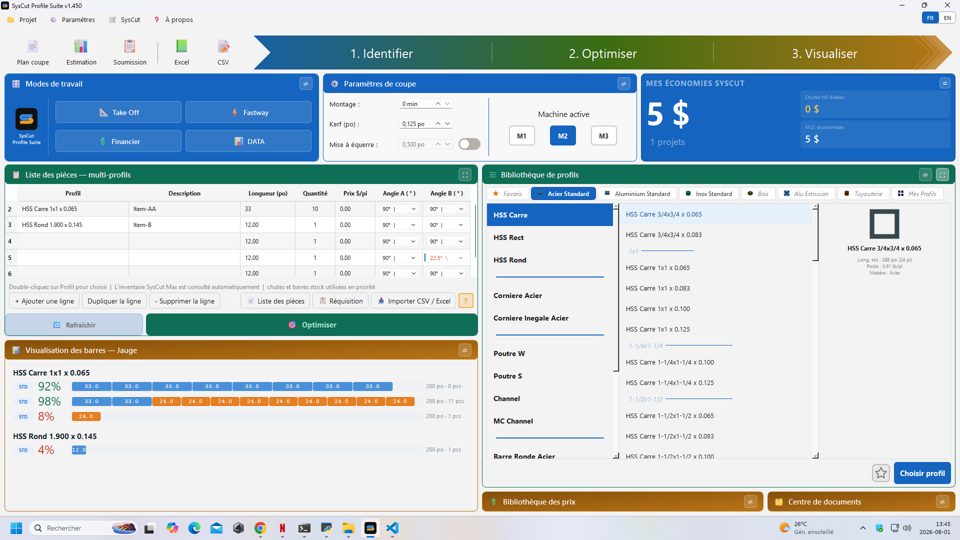
Select your parts in a simple table.
Step 2
Optimize
The algorithm calculates the optimal cut plan.
Step 3
Visualize
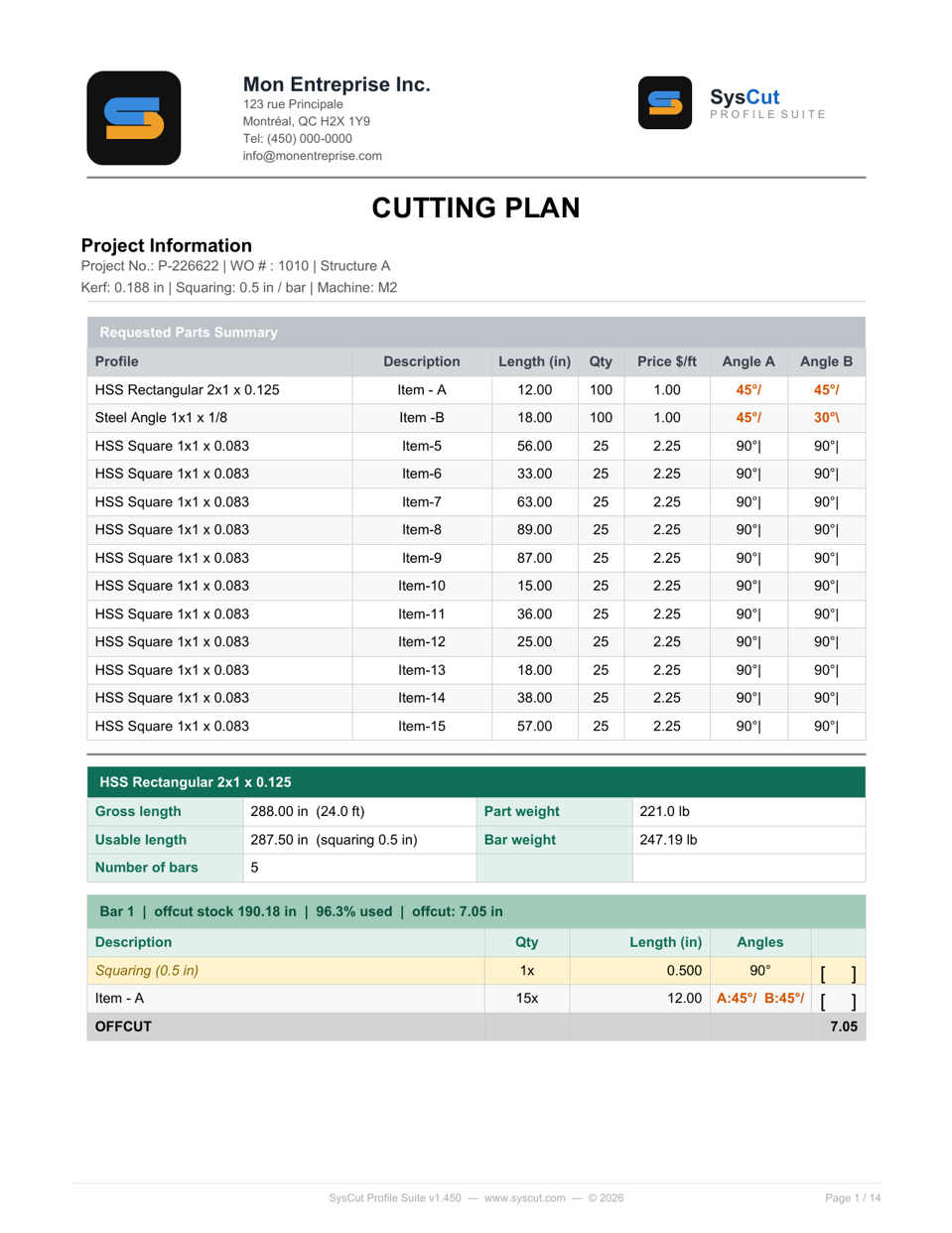
Every plan and document generated, ready as a PDF.
Step 1
Identify
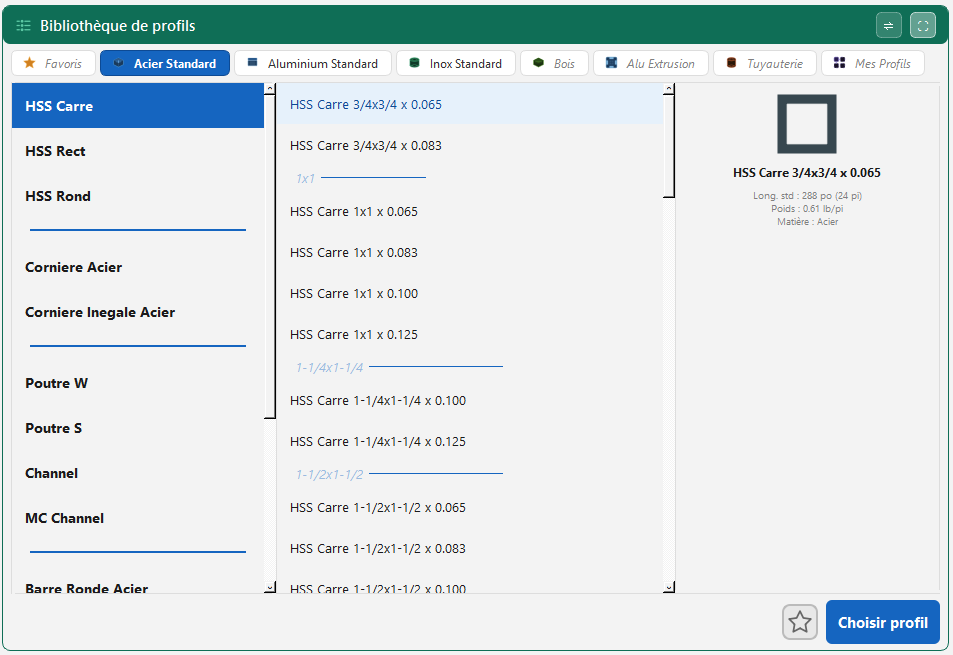
You enter your parts — profile, length, quantity, cut angles — in a simple table, with a 3-level selector and 1,549+ ready-to-use profiles.
Step 2
Optimize
The FFD algorithm calculates the optimal cut plan, manages offcuts in three tiers, and shows the result with a color code directly on every bar.
Step 3
Visualize
Every cut plan, estimate, and quote is automatically generated as a PDF — ready for the shop floor or for the client.
What you can ask us to show you
The optimization engine applied to your own profiles and dimensions
Automatic generation of your documents (cut plan, estimate, quote)
Real-time inventory management (SysCut Max)
Importing your existing lists from Excel or CSV
Ready to see SysCut on your own data?
How it works, in 3 steps
Your first traced shipment in 5 minutes,
no training required.
Step 1
Receive
The wizard receives a shipment in minutes.
Step 2
Cut & trace
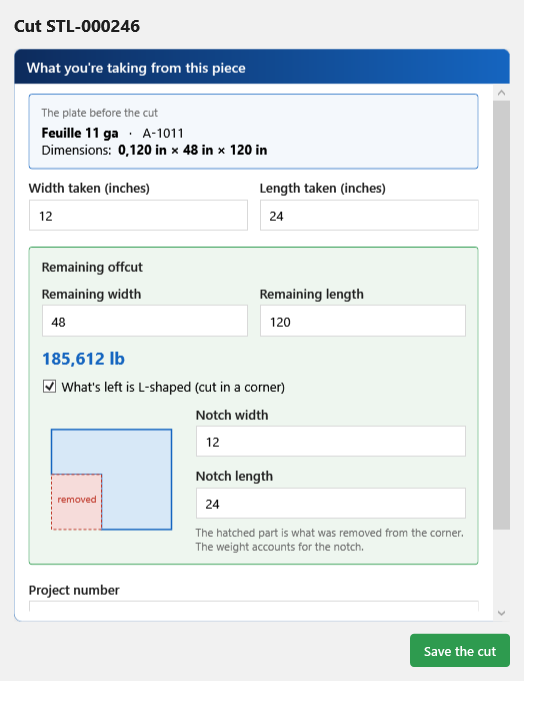
Every cut is tracked precisely, to scale.
Step 3
Find & prove
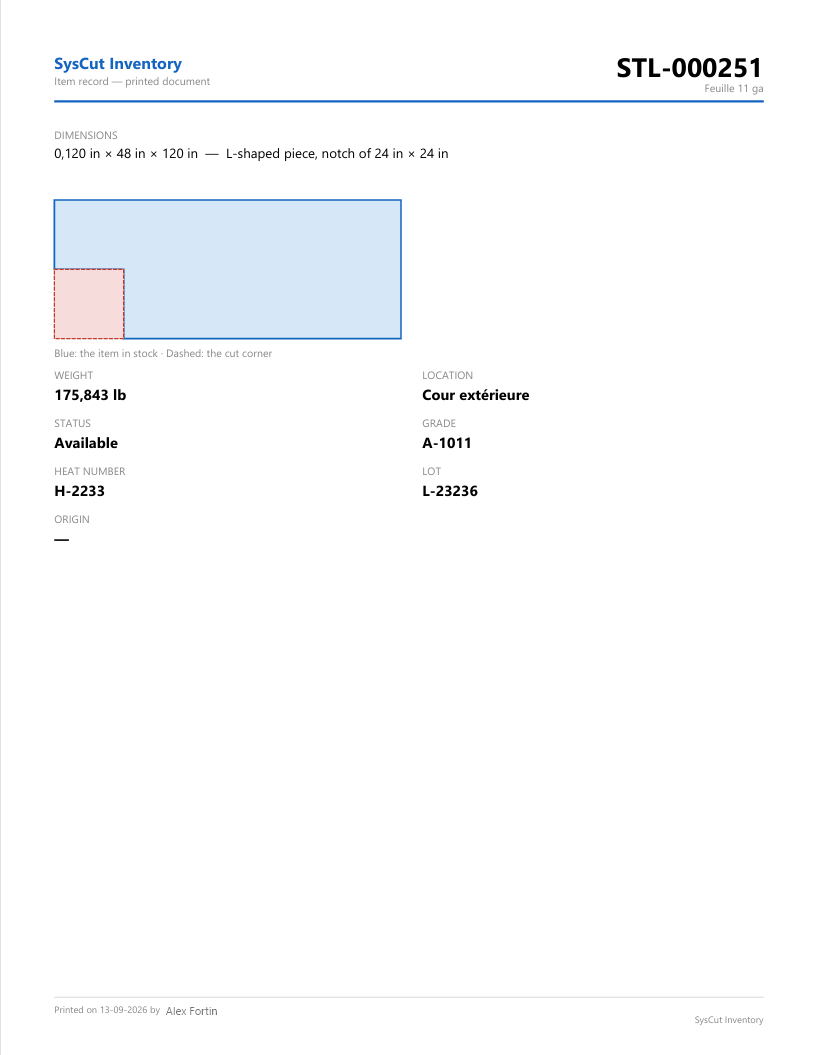
Every certificate, ready to print as PDF.
Step 1
Receive
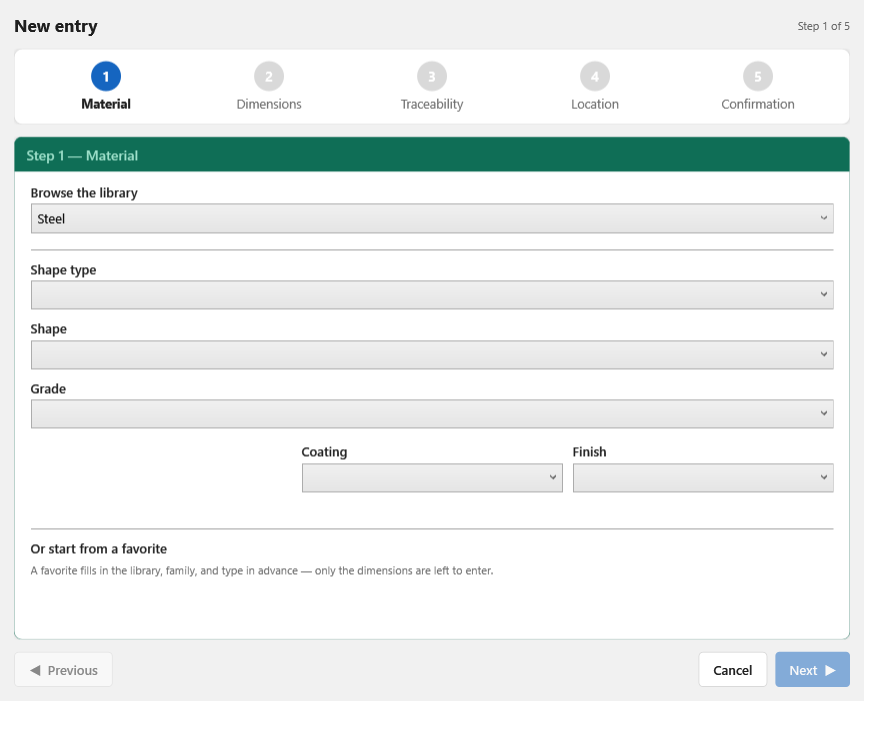
The 5-step wizard receives a shipment, calculates weight automatically, and attaches the material certificate right at receiving.
Step 2
Cut & trace
Every cut is tracked precisely — squaring and L-shaped items included — and logged forever, without ever rewriting the history.
Step 3
Find & prove
Universal search, traceability by project number, a certificate found in seconds — ready to leave the shop as a PDF.
What you can ask us to show
The automatic weight calculation on your own dimensions, in inches and fractions
A material certificate found in seconds by project number
Setting up a second workstation on your own local network, live
How to build your own material library (e.g. galvanized steel)